30 YouTube Shorts Ideas Without Showing Face (With How-To)
30 strictly zero-face YouTube Shorts ideas, each paired with a production method, a fit-by-goal table, a daily posting system and YouTube's monetization rules from YouTube Help.

AutoShort Editorial Team
숏폼 영상 가이드
2026년 11월 13일 · 23 분 읽기
The best YouTube Shorts ideas without showing face are formats where visuals, captions and a voice carry the video. These include Reddit stories, AI-narrated facts, satisfying loops, hands-only tutorials, screen recordings and repurposed clips. Below are 30 zero-face ideas, each with a production method, plus YouTube's monetization rules as published in YouTube Help.
Key takeaways
- Every idea below works with no person on camera. POV, dance, blooper and vlog formats are excluded.
- The easiest starts are satisfying loops, AI-narrated facts and Reddit story videos. They need only stock or AI visuals, a voice and captions.
- YouTube Help states that from February 1, 2027, Shorts revenue sharing requires at least 10 million qualified Shorts views in the last 90 days.
- Monetizing creators keep 45% of their allocated Shorts revenue, per YouTube Help. No source I reviewed gives a reliable earnings-per-view figure.
- Templated AI videos must add original value to stay clear of YouTube's reused content policy.
Why Make YouTube Shorts Without Showing Your Face?
Faceless Shorts protect your privacy, cut production time and scale across many videos. They need no filming, lighting or on-camera performance. The model is also proven: well-known faceless channels already run in food, tech and general-interest niches.
Privacy, speed and scalability
Fourthwall's guide to faceless Shorts lists four reasons creators skip the camera: privacy, ease, creativity and scalability. Each one maps to a practical advantage.
- Privacy: your identity, home and family stay off the internet.
- Ease: no camera confidence, makeup, retakes or lighting setup.
- Creativity: visuals are not limited to what you can film in your room.
- Scalability: a format without a presenter can be templated, batched and handed to a team or an AI tool.
This list follows one strict rule. Zero-face idea: a Short that works with no human face on camera, ever. Hands, screens, illustrations, AI presenters and stock footage are allowed. Your face is not. Several popular idea lists mix POV clips, dances, bloopers and vlogs into their "faceless" sections. Those formats need a person on camera, so none of them appear here.
Faceless channels people already know
Fourthwall names three faceless channels as examples: Bright Side, TechZone and So Yummy. Bright Side built its brand on illustrated explainers and narration. So Yummy is known for overhead, hands-only cooking. Both show that a voice, a visual style and a repeatable format can replace a presenter. I am not citing subscriber or revenue figures for these channels, because none of the sources I reviewed verified them.
What Are the Best YouTube Shorts Ideas Without Showing Face?
The best faceless Shorts ideas are formats you can repeat daily with no camera on you. They fall into six groups: loops, caption-led explainers, narrated stories, hands-only reveals, screen-based videos, and series or remixes. The 30 ideas below are ordered by beginner fit, easiest first.
Each idea includes a verdict, who it suits, pros and cons, a production method and an example. Production methods fall into four types: stock footage, screen recording, AI voiceover and AI faceless video. No idea has a fixed price, so none is listed. If you want a shorter starter list, see these 15 YouTube Shorts ideas you can make without filming.
Loop-First and Ambient Shorts Ideas (1-3)
Loop-first Shorts end where they begin, so a replay feels natural. They need no script and often no voice. That makes them the lowest-effort entry point for a new faceless channel.

1. Satisfying loops
The lowest-effort faceless Short: a clip whose last frame matches its first.
- Best for: total beginners who want to test a channel within days.
- Pros: no voice needed; music or ASMR audio carries it; easy to batch.
- Cons: crowded format; stock-only clips add little original value, which matters for monetization.
- Make it with: stock footage or AI-generated video, trimmed so the end flows back into the start.
- Example: paint poured into a spiral, cut so the pour restarts without a visible jump.
2. Ambient scenes
Calm, background-style Shorts such as rain on a window or a crackling fireplace.
- Best for: sleep, study and relaxation niches.
- Pros: no script; Fourthwall suggests making ambient Shorts loop at the 3-minute mark, the current Shorts maximum.
- Cons: fewer comments; music tracks change how revenue is split (covered in the monetization section).
- Make it with: an AI video model or stock scene plus natural sound.
- Example: "Rainy alley at night, 3 minutes" with soft city noise.
3. Time-lapses
Hours compressed into seconds: sunsets, clouds, a plant growing, a city at night.
- Best for: nature, travel and photography niches.
- Pros: strong visual payoff; no talking.
- Cons: original time-lapses need a phone on a tripod; stock versions are common.
- Make it with: your phone's time-lapse mode, plus captions naming the place and real duration.
- Example: "Fog rolling over a valley, a full morning in 20 seconds."
Caption-Led Explainer Ideas (4-9)
Caption-led explainers teach one thing per Short, with text on screen doing most of the work. They pair well with an AI voiceover. They are the most repeatable faceless format because topics never run out.
4. AI-narrated "did you know" facts
One surprising fact, a voiceover and captions in under a minute.
- Best for: general-interest channels and beginners who want to post daily.
- Pros: endless topics; a fixed hook-fact-loop pattern; AI handles voice and visuals.
- Cons: every fact must be checked; low-effort fact channels can look repetitive.
- Make it with: AutoShort's Script generator for the hook, middle and close, then Faceless videos for scenes, voice and synced captions.
- Example: "Bananas are berries. Strawberries are not."
5. Niche tips
One practical tip per Short in a field you know: budgeting, photography settings, spreadsheet shortcuts.
- Best for: affiliate links and building a loyal niche audience.
- Pros: useful Shorts get saved and shared; tips convert well into a series.
- Cons: needs real expertise or careful research.
- Make it with: on-screen text over stock or screen recording; voiceover optional.
- Example: "Press Ctrl + ; in Excel to insert today's date."
6. Life hacks
Short problem-and-fix demos filmed hands-only.
- Best for: home, cleaning and travel niches.
- Pros: the result is visible proof; no narration required.
- Cons: a hack that fails destroys trust; test before posting.
- Make it with: an overhead phone shot of your hands plus bold captions.
- Example: a rubber band pressed over a stripped screw to get grip.
7. Whiteboard explainers
A drawn or animated whiteboard explains one concept step by step.
- Best for: finance, science and education channels.
- Pros: diagrams make abstract ideas concrete; fully original visuals.
- Cons: drawing or animating takes longer than stock footage.
- Make it with: an image generator for each frame plus an AI voiceover.
- Example: "Compound interest in four drawings."
8. Myth vs fact
State a common myth, then correct it with evidence.
- Best for: science, health and history niches.
- Pros: built-in tension in the hook; invites comments.
- Cons: needs careful sourcing, especially for health topics.
- Make it with: two contrasting text cards, stock b-roll and narration.
- Example: "Myth: goldfish forget everything in seconds. Fact: they can be trained to respond to sounds."
9. Quiz and guess-the-answer
Pose a question, pause, then reveal.
- Best for: trivia, geography and language learning.
- Pros: viewers rewatch to check; guesses fill the comments.
- Cons: the answer must land before viewers swipe away.
- Make it with: a countdown overlay, AI images and a short voice line.
- Example: "Name this country from its outline in three seconds."
Story Ideas (10-14)
Story Shorts hold attention with narrative instead of visuals. A voice reads the story while background footage or illustrations play. Long stories split naturally into numbered parts, which pushes viewers to the next upload.
10. Reddit story videos
Narrated Reddit posts over gameplay or satisfying background footage, one of the most established faceless formats.
- Best for: daily posting and multi-part series.
- Pros: the narrative is built in; long posts split into Part 1, Part 2 and beyond.
- Cons: reading a post word for word adds little originality; rewrite, condense or add commentary.
- Make it with: AI voiceover, background gameplay and large captions. This guide to an AI Reddit story generator for story videos covers the full workflow.
- Example: "AITA for refusing to lend my sister my wedding fund? (Part 1)"
11. Animated storytelling
Short fables, myths or original stories told with illustrated scenes.
- Best for: kids, folklore and history channels.
- Pros: fully original visuals and characters.
- Cons: keeping characters consistent across scenes takes effort.
- Make it with: an image generator with a fixed style prompt, animated by an AI video model, plus narration.
- Example: "The fox who tried to sell the moon" in 45 seconds.
12. Motivational quotes
A quote, cinematic b-roll and music.
- Best for: self-improvement niches and fast batching.
- Pros: very fast to produce.
- Cons: saturated; quote-only videos can look repetitive unless you add commentary or original visuals.
- Make it with: AI visuals and a voice that reads the quote plus one practical takeaway.
- Example: Seneca's "We suffer more often in imagination than in reality," followed by a 10-second real-life application.
13. History mini-stories
One historical event in under a minute, ending on a twist.
- Best for: education channels and long-running series.
- Pros: evergreen topics; endless material.
- Cons: research time; errors get called out fast.
- Make it with: archival-style AI images and narration.
- Example: "The day a wave of molasses flooded Boston streets."
14. Unsolved mysteries
A real mystery told as a cliffhanger.
- Best for: mystery and curiosity niches.
- Pros: a strong curiosity gap keeps viewers watching.
- Cons: must stay advertiser-friendly; avoid graphic detail.
- Make it with: moody AI scenes, maps and a calm narrator.
- Example: "The Mary Celeste: a ship found sailing with no crew aboard."
Show-and-Reveal Ideas (15-20)
Show-and-reveal Shorts film hands, objects and results, never faces. The payoff is a visible transformation or reveal at the end. These ideas need real filming, but only of what you make or unbox.
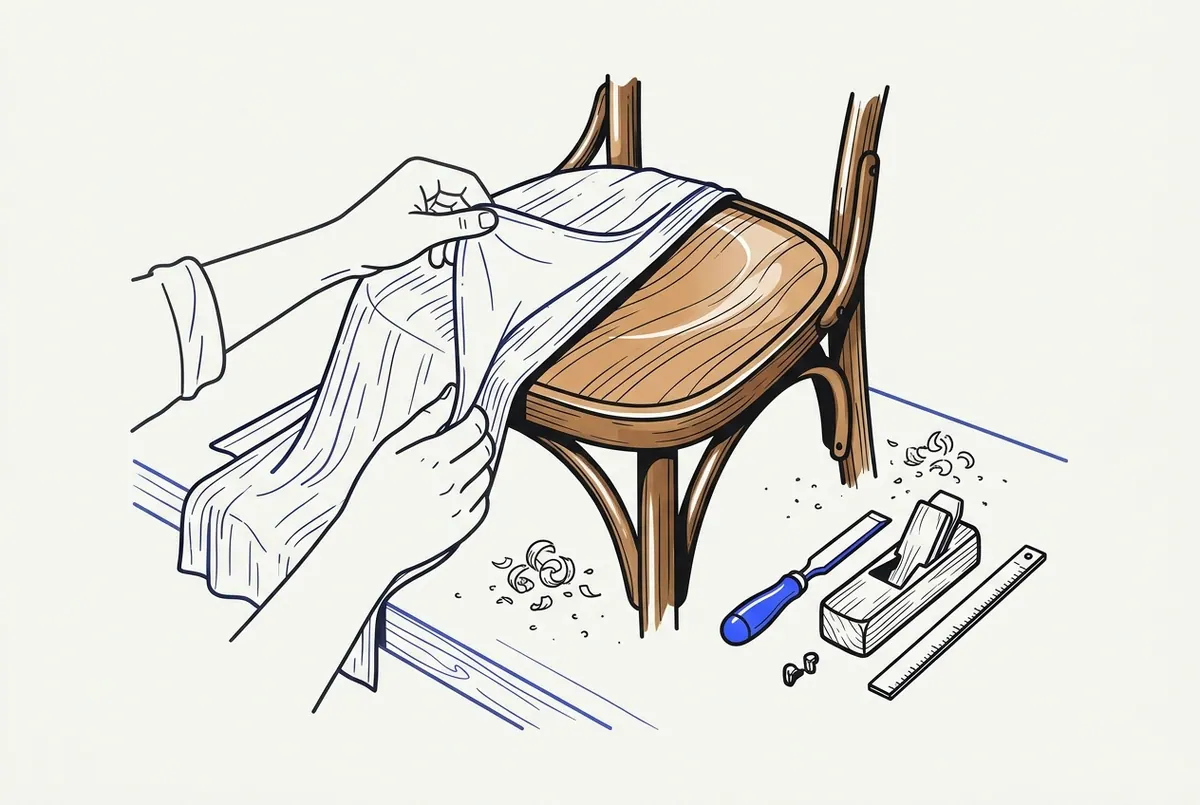
15. Unboxings
Hands, packaging and a product reveal.
- Best for: tech, toys and subscription boxes, especially with affiliate links.
- Pros: product links fit naturally; ASMR audio works without narration.
- Cons: you need a steady supply of products.
- Make it with: an overhead phone shot plus captions listing key specs.
- Example: "Unboxing the cheapest mechanical keyboard I could find."
16. DIY projects
A build compressed into a fast sequence of hands-only steps.
- Best for: crafts, woodworking and repairs.
- Pros: original footage; clear before-and-after payoff.
- Cons: filming each step takes time.
- Make it with: a fixed overhead or side angle and step captions.
- Example: "Turning a pallet into a shoe rack in 40 seconds."
17. Hands-only cooking
Overhead recipe videos in the style Fourthwall credits to So Yummy.
- Best for: food niches and recipe affiliate content.
- Pros: proven faceless format; recipes never run out.
- Cons: needs ingredients, cooking time and good overhead light.
- Make it with: a phone mounted above the counter and ingredient captions.
- Example: "3-ingredient peanut butter cookies, start to finish."
18. Home decor before and after
A room or corner transformed, shown as a reveal.
- Best for: decor, renting and budget-home niches.
- Pros: satisfying payoff; natural product links.
- Cons: projects take days to film.
- Make it with: matching before and after angles plus a fast transition.
- Example: "Rental-friendly kitchen refresh with no drilling."
19. Gardening progress
Plant growth, harvests and quick care tips.
- Best for: gardening and houseplant channels.
- Pros: built-in series potential as plants grow.
- Cons: slow production cycle.
- Make it with: time-lapse clips, close-ups and captions.
- Example: "Regrowing green onions from scraps: day 1 to day 10."
20. Science experiments
Simple, safe experiments with a visible result.
- Best for: education and family audiences.
- Pros: strong visual hook; teaches something real.
- Cons: safety limits what you can show; avoid anything dangerous to copy.
- Make it with: a fixed camera on the experiment plus an explanatory voiceover.
- Example: "Why a candle makes water rise in a glass."
Screen-Based Ideas (21-25)
Screen-based Shorts use what happens on a phone, computer or console screen. You need screen-recording software and a clear angle. They fit tech, gaming and software audiences.
21. Tech reviews
Product b-roll and screen captures with a verdict.
- Best for: tech niches and affiliate income.
- Pros: high-intent viewers; easy to add links.
- Cons: you need devices or deep research.
- Make it with: close-up product shots, screen recordings and AI narration.
- Example: "Three settings to change on a new phone."
22. Gameplay clips
Your own gameplay, cut to the best moment.
- Best for: gaming channels.
- Pros: original footage; captions or text commentary add value.
- Cons: clips from other people's streams count as reused content.
- Make it with: console or PC capture and on-screen text.
- Example: "The one-in-a-thousand bounce shot."
23. Ranked slideshows
A top-five list told through images.
- Best for: travel, food, film and trivia.
- Pros: fast to produce; the countdown keeps viewers watching.
- Cons: slideshows of found images raise copyright risk; use generated or licensed images.
- Make it with: an image generator and a countdown script.
- Example: "5 strangest houses ever designed, ranked."
24. Virtual tours
A walkthrough of a place, map route or 3D space.
- Best for: travel, real estate and architecture.
- Pros: immersive; no face needed.
- Cons: good footage requires access or a capable AI video model.
- Make it with: gimbal footage, map animations or AI scenes.
- Example: "Walking through a 1-square-meter capsule hotel room."
25. Software tutorials
Screen-recorded how-tos for one task.
- Best for: productivity, design and coding niches.
- Pros: strong search demand; evergreen.
- Cons: small text must be zoomed and readable in vertical format.
- Make it with: a screen recorder, zoom-ins and captions.
- Example: "Remove a background in one click in a free editor."
Series and Remix Ideas (26-30)
Series and remix ideas turn one format, video or language into many Shorts. They suit creators who already have content, brands and agencies. These five are the formats most idea lists skip.
26. Numbered-part series
One topic split across numbered Shorts.
- Best for: stories, rankings and long tutorials.
- Pros: each part sends viewers to the next.
- Cons: part one must stand on its own.
- Make it with: any format above, with "Part X" in the title and first frame.
- Example: "World's oldest companies, Part 3."
27. Daily fixed-frame series
The same framing every day, with one thing changing.
- Best for: habit, learning and progress channels.
- Pros: recognizable at a glance; low decision fatigue.
- Cons: missing a day breaks the format.
- Make it with: a saved template for layout, voice and captions.
- Example: "Day 47 of learning one Japanese word a day."
28. Repurposed long videos
Cut podcasts, webinars or long YouTube videos into standalone Shorts.
- Best for: creators and businesses with an existing library.
- Pros: no new filming; each long video yields many Shorts.
- Cons: only works with content you own.
- Make it with: AI clips that turn one long video into ready-to-post shorts.
- Example: a 40-minute podcast becomes eight 30-second answers.
29. Dubbed versions in other languages
Your best Shorts re-voiced for new language audiences.
- Best for: channels with proven formats looking for new markets.
- Pros: reuses scripts and visuals that already perform.
- Cons: cultural references may need rewriting.
- Make it with: AutoShort's dubbing, which adds a native voice and translated captions across 30+ languages.
- Example: an English facts Short republished in Spanish and Portuguese.
30. UGC-style AI avatar product ads
An AI presenter reviews or demos a product, so no real person appears.
- Best for: small businesses, marketers and agencies.
- Pros: test many hooks quickly without hiring creators.
- Cons: suits product promotion more than ad revenue.
- Make it with: AutoShort's UGC avatars, or Auto Ads to create an ad from a product link.
- Example: "3 reasons this water bottle replaced my coffee mug."
Which Faceless Shorts Idea Fits Your Goal?
Match the idea to your goal before you start. Loops and facts suit audience building, tips and reviews suit affiliate income, and AI avatar ads suit product promotion. Effort levels below are relative estimates, not measured data.
Comparison table: effort, voice needed, best goal
| Idea type | Effort | Voiceover needed | Main tools | Best goal |
|---|---|---|---|---|
| Loops and ambient (1-3) | Low | No | Stock or AI video, music | Audience building |
| Did-you-know facts (4) | Low | Yes, AI works | Script + AI voice + captions | Audience building, ad revenue |
| Tips, hacks, explainers (5-9) | Medium | Optional | Text overlays, screen recording | Affiliate, audience building |
| Reddit and narrated stories (10-14) | Low to medium | Yes | AI voice, background footage | Ad revenue, series viewers |
| Hands-only reveals (15-20) | High | Optional | Phone, overhead mount | Affiliate, product promotion |
| Screen-based (21-25) | Medium | Optional | Screen recorder, captions | Affiliate, audience building |
| Repurposed and dubbed (28-29) | Low | Existing or dubbed | AI clips, dubbing | Reach for an existing library |
| AI avatar product ads (30) | Low | Yes, avatar voice | UGC avatars, Auto Ads | Product promotion |
No idea guarantees views. Results depend on the hook, the niche and consistency. For channel-level concepts rather than single formats, browse these 25 faceless YouTube channel ideas you can automate with AI.
How to pick your first idea in five minutes
- List three topics you could make 30 Shorts about.
- Pick the lowest-effort row in the table that fits one topic.
- Write five hooks for that topic. If you stall, switch topics.
- Make three test Shorts in the same format.
- Keep the format fixed for a few weeks before judging it.
How Do You Make a Faceless YouTube Short Step by Step?
To make a faceless Short, pick a repeatable format, write a 30-second script with a hook, payoff and loop line, add visuals and a voice, burn in captions, and export vertically. Each step takes minutes once the format is fixed.
Pick a niche and a repeatable format
Choose a niche with enough topics for daily posts. Then fix the format: same length, same caption style, same voice. Trends can feed topics, but the format should stay stable so viewers recognize it.
Write a hook, payoff and loop line for a 30-second script
Loop line: a closing sentence that leads back into the opening line, so a replay feels like a continuation. A 30-second script has three parts.
- Hook (0-2 s): "Octopuses have three hearts, and two of them stop when they swim."
- Payoff (2-25 s): explain that the systemic heart pauses during swimming, which tires them, so octopuses prefer to crawl.
- Loop line (25-30 s): "That's why you almost never see one swimming, because octopuses have three hearts..."
The loop line flows straight back into the hook. AutoShort's Script generator writes this hook, middle and close structure from an idea or a link.
Add visuals: stock, screen recording or AI video
Use one of three visual sources. Free stock sites such as Pexels and Unsplash suit loops and b-roll. Screen recordings suit tutorials and gameplay. AI video models such as Veo 3.1, Sora 2 and Kling v3 suit scenes you cannot film.
Add voiceover or text-to-speech and burn in captions
Captions are not optional. Many viewers watch without sound, so on-screen text must carry the message. The Faceless videos generator assembles scenes, AI voiceover and synced captions from one chosen style, with no editor required.
| Free tool | What it does |
|---|---|
| YouTube app | Records, trims and uploads Shorts |
| YouTube Audio Library | Supplies music and sound effects |
| CapCut | Edits clips and adds auto captions |
| Pexels and Unsplash | Provide free stock footage and photos |
Export in 9:16 and upload
Export vertically and keep within the Shorts limits. The specs below come from YouTube Help pages, as summarized in LazyKiwi's Shorts guide.
| Setting | Value |
|---|---|
| Aspect ratio | 9:16 vertical |
| Maximum length | Up to 3 minutes |
| Resolution | Up to 1080p |
| Bitrate | About 8 Mbps for 1080p SDR |
Keep text inside the central area so the interface does not cover it.
How Can You Post Faceless Shorts Every Day Without Burning Out?
You post daily without burnout by fixing every decision except the topic. Save the script style, voice, captions and visuals as a template, rerun it with new topics, then batch and schedule uploads. Consistency matters more than raw volume.
Save a recipe, then swap the topic
Recipe: a saved set of format choices (script structure, voice, caption style, visual style and length) that produces a consistent Short from any topic. In AutoShort, you save a working recipe and rerun it with one click by changing only the topic. A facts channel can then produce a week of Shorts from seven topic lines.
Agencies can keep each client in its own brand project, with separate videos, voices and style.
Batch, schedule and auto-publish
Work in batches, not daily sessions.
- Write 7 to 14 topics in one sitting.
- Generate all videos from the same recipe.
- Review each one for accuracy and caption errors.
- Schedule them across the week.
- Let auto-publish post to YouTube, TikTok and Instagram.
AutoShort's scheduler and auto-publish handle steps 4 and 5 across all three platforms.
How many Shorts per day?
YouTube publishes no recommended number of Shorts per day, according to LazyKiwi's guide. One good Short a day you can sustain beats five rushed ones. Rushed volume also raises the risk of repetitive content.
Do Faceless Shorts Get Monetized, and How Do Faceless Creators Earn?
Yes, faceless Shorts can earn Shorts ad revenue if the channel meets YouTube's thresholds and the content is original. YouTube Help sets a 10 million qualified views rule from February 1, 2027. Many faceless creators also earn through affiliate links, brand deals, merch and product ads.
YouTube Partner Program route for Shorts: the 10M views in 90 days rule
The YouTube Shorts monetization policies page states: "Starting February 1, 2027, to be eligible to earn a share of Shorts ad revenue from the Creator Pool and YouTube Premium revenue for each month, you will need to have at least 10 million qualified Shorts views in the last 90 days."
The 90-day window ends on the 15th of the calendar month before the earnings month. Monetizing partners must also accept the Shorts Monetization Module. Only Shorts views after the acceptance date count toward revenue sharing.
LazyKiwi's guide describes a Partner Program route of 1,000 subscribers plus 10 million qualified public Shorts views in 90 days. I have not verified that figure, so check YouTube's Partner Program eligibility page before relying on it.
How the Shorts revenue share and music split work
Shorts Feed ad revenue is pooled each month. Music in a Short changes how much of that Short's revenue reaches the Creator Pool.
| Music in the Short | Share sent to the Creator Pool |
|---|---|
| No music | All of it |
| 1 track | Half (the other half covers music licensing) |
| 2 tracks | One third |
The Creator Pool is then split by each creator's share of engaged views in each country. YouTube Help states that "Monetizing creators will keep 45% of their allocated revenue, regardless if music was used or not."
YouTube Help gives a hypothetical example. A creator with 1 million engaged views out of 100 million, in a month with $100,000 in ad revenue, is allocated $900 and earns $405 after the 45% share. Real numbers vary by month and country.
Some views do not count. Ineligible views include:
- non-original clips and reuploads
- compilations with no original content added
- fake or bot views
- content that breaks the advertiser-friendly content guidelines
Shorts longer than one minute that contain claimed content are blocked from monetization.
Other income: affiliate links, brand deals, merch, product ads
Fourthwall's FAQ lists the Partner Program, brand deals, affiliate links and merch as faceless income routes. Tips, reviews and unboxings suit affiliate links. Niche channels with a clear audience suit brand deals. Businesses use faceless formats and AI avatar ads to promote their own products directly.
What is not proven about earnings
No source I reviewed gave a reliable RPM or earnings-per-view figure for Shorts. I give none here. Any calculator that promises a fixed dollar amount per 1,000 views is an estimate, not a YouTube figure.
Do You Need to Label AI-Generated Shorts, and Can AI Voices Be Monetized?
You need to label AI content when it realistically depicts events that did not happen. AI voices are not banned in the policies reviewed here. The bigger risk for AI channels is repetitive, templated content that adds no original value.
Disclosing altered or synthetic content
According to LazyKiwi's summary of YouTube Help, creators should tick the altered content option when a Short shows realistic depictions of events that did not happen. A cartoon fable or an obviously stylized AI scene is a different case from a realistic fake news clip. When a viewer could mistake the scene for real footage, disclose it.
Reused and repetitious content risk for templated AI videos
YouTube requires monetizing channels to follow its repetitious and reused content policy. A recipe-based workflow is efficient, but every video still needs its own value. Practical ways to add it:
- research a new topic for every Short
- write an original script instead of reading found text
- add commentary, ranking or a clear takeaway
- vary visuals instead of reusing the same clips
Are AI voices and text-to-speech allowed?
None of the policy points summarized here ban AI voices or text-to-speech outright. Eligibility depends on originality, advertiser-friendliness and real views. Fourthwall's FAQ also addresses AI voices for faceless Shorts. AutoShort offers male and female voices, voice cloning and over 30 languages. If you want a voice that sounds like you without recording each video, voice cloning covers that.
What Mistakes Make Faceless Shorts Fail, and When Is This the Wrong Choice?
Faceless Shorts mostly fail on format errors: black bars, slow openings, missing captions and reused clips. They also fail when the creator's real goal needs personal trust. Fix the mistakes first, then check whether faceless fits your goal.
Seven common mistakes
LazyKiwi's guide lists letterboxing, title cards first, missing captions and effects overload. Three more come from the same principles.
- Letterboxing: horizontal footage with black bars wastes the vertical screen.
- Title card first: a logo or title in the opening second costs the hook.
- No captions: sound-off viewers miss the entire message.
- Effects overload: constant zooms and transitions bury the point.
- Weak hook: the first second must state the payoff or the tension.
- No loop ending: a dead final frame gives viewers no reason to replay.
- Reused clips: compilations and reuploads are ineligible for Shorts revenue.
When a faceless channel is the wrong fit
Faceless is the wrong choice in three cases. First, when you want a personal brand built on trust in you. Second, when your income plan depends on creator-led sponsorships that pay for a face and personality. Third, when you cannot add original value, because compilations and reuploads earn nothing from the Creator Pool. Faceless removes the camera, not the work.
Start With One Idea and One Recipe
Pick one idea from the 30, fix its format and publish consistently. Facts, Reddit stories and loops are the fastest starts. Hands-only reveals and screen-based ideas earn more trust in specialist niches. Check every Short against YouTube's originality rules before you post.
If you want to turn a topic into a finished faceless Short, AutoShort writes the script, generates scenes, voiceover and captions, then schedules it to YouTube, TikTok and Instagram. Save your first recipe, change the topic and post every day without filming.